
Not all CRO audits are created equally. Some end up being kinda surface level. Some end up being super comprehensive. The overkill ones can end up with a lot of slides, a long list of recommendations, and almost no diagnostic thinking behind any of it. The question people don’t tend to ask is, ‘who or what actually ran this audit, and what were they capable of seeing?’
A few years ago, that might’ve sounded like an odd question. But it matters more now because AI audits are a thing… and they’ve got genuinely good at certain things. Not everything. Certain things. The problem is the marketing around it has made it sound like a full replacement for a skilled CRO practitioner, which it isn’t. And the backlash to that has made some experienced practitioners dismiss it entirely, which is also wrong.
The honest answer is that AI and human auditors have different sight lines. Combined, they cover more ground than either does alone. The rest of this piece is about what that actually looks like in practice.
What an AI website audit actually catches well
The most useful thing AI brings to an audit is scale without fatigue. A human auditor checking a site across 16 viewport sizes is doing hours of work that, realistically, never gets done properly. I’ve seen agencies hand over audit reports where the “mobile review” was a screenshot from one iPhone model. AI tools will check viewports across dozens of device states consistently, flag layout breaks, identify where interactive elements become too small to tap, and catch overflow issues that only appear at specific screen widths. That’s not a small thing. Those are real conversion problems that were sitting invisible.
Markup errors are similar. A human doing a manual pass won’t catch every missing label, duplicate ID, or improperly nested form element across hundreds of pages. AI will. And these matter because they affect both accessibility compliance and browser rendering behaviour, two things that have a direct line to whether someone can actually complete an action on your site.
Accessibility issues at scale are where AI earns its place in a serious audit. WCAG compliance checks, missing alt text, insufficient colour contrast ratios, keyboard navigation gaps, focus state handling, ARIA attribute errors. Running these manually across a large site is borderline impossible to do with any consistency. AI does it systematically. That’s a genuine advantage.
Core Web Vitals are another area. AI tools integrated with PageSpeed data or Lighthouse can surface LCP, CLS, and FID issues across multiple page templates simultaneously, flag which specific elements are causing layout shift, and identify third-party scripts that are degrading load performance. A human auditor can do some of this, but not at the same coverage or speed.
Form attribute analysis is one people underestimate. Whether input fields have the correct autocomplete attributes, whether form validation is triggering at the right moments, whether error messages are associated with the correct fields via aria-describedby. AI can check this programmatically across every form instance on a site. A human reviewing the checkout flow might catch an obvious validation problem. AI will catch the one on the account creation page that only affects users on autofill-heavy browsers.
The pattern here is consistent. AI is strong when the task is systematic, repeatable, and doesn’t require judgment. It’s checking the rules. That’s valuable work.
What a human auditor catches that AI misses
This is where I’ve seen the most overconfidence from teams who’ve started using AI tooling. They run the audit, get a clean technical report, and assume they’ve covered the site. They haven’t. They’ve covered the infrastructure. The conversion problems that live in copy, emotional tone, interaction feel, and contextual intent are largely invisible to current AI.
Understanding the nuance and social subtleties in copy is probably the biggest gap. AI can flag readability scores, sentence length averages, passive voice frequency.
- It can’t tell you whether the headline on your pricing page creates subtle anxiety by framing cost before value.
- It can’t tell you whether the word “simple” in your onboarding flow is reassuring or patronising given what the product actually asks users to do.
- It can’t tell you whether the social proof you’ve placed above the fold is landing as credible or as defensive.
These are not pattern-recognition problems. They’re essentially human problems, and they require someone who can read copy the way a real user reads it, with intention, context, and an emotional response.
Writing changes outperform layout changes more often than most teams expect. Almost nobody in CRO talks about this. A button that says “Get started” and a button that says “Start your free trial” can be identical in position, colour, and size. AI will treat them as equivalent. A human auditor who understands the product, the user’s purchase anxiety at that stage, and the framing of the surrounding copy will not.
Emotional resonance at the page level is something AI has no real access to. Whether a product page feels premium or feels cheap. Whether a landing page feels trustworthy or feels like it’s trying too hard. These judgments come from the accumulation of small signals:
- image quality
- whitespace
- copy cadence
- the visual weight of the call to action
- how the brand voice sits across the whole page
AI can check whether the CTA button meets contrast standards. It cannot tell you whether the page, as a whole, gives a first-time visitor a reason to believe.
Interaction judgment is another gap. A human auditor using the site like a real user will notice things that no automated tool will surface. The micro-interaction that feels slightly off. The dropdown that technically works but creates a moment of hesitation. The progress indicator in a multi-step form that’s technically visible but doesn’t actually reduce cognitive load because it’s placed where attention isn’t. These are felt before they’re reasoned, and AI doesn’t feel.
Contextual intent is where the gap gets expensive. AI will tell you a page has a high exit rate and a low scroll depth. A human auditor who understands the traffic source, the search intent driving visitors to that page, and what those users were expecting to find will tell you why. That’s the diagnosis. Without it, you’re optimising in the dark with a very fast torch.
Legal ambiguity is a real one that teams rarely think about in audit contexts. Whether a terms summary is technically accurate. Whether a pricing disclosure meets regulatory requirements for a specific market. Whether a dark pattern in a cancellation flow is likely to attract complaints or regulatory attention. AI is not equipped to make these calls, and getting them wrong has consequences that go well beyond conversion rate.
Why the framing of “AI vs human” is the wrong question
I’ve seen this framed as a competition, and it isn’t. The useful question is coverage. What does each side actually see, and what do they miss?
The [few] teams I see using AI well are using it to cover the ground they couldn’t cover manually. The teams using it badly are using it to move faster before they’ve diagnosed correctly. Speed is not the constraint for most CRO programmes. Clarity is. AI doesn’t fix a lack of strategic thinking. It accelerates thinking, and if the thinking was wrong to begin with, it accelerates it in the wrong direction.
Think of a CRO audit like a building inspection. A sensor array can check every pipe diameter, every load measurement, every wiring circuit. That’s valuable. It’s not a replacement for an experienced surveyor who can look at a wall and know, from the pattern of cracking, that the foundation is moving. Both pieces of information matter. Running the sensor array alone and calling it a thorough inspection would be a mistake.
How to structure an AI-assisted audit without over-relying on it
There’s a practical way to do this. It starts with being clear about what phase you’re in and which tool is appropriate for that phase.
Run AI tooling first on the technical layer. Viewport rendering, accessibility compliance, markup validity, Core Web Vitals by template, form attribute completeness. Let it do what it does at scale. Document what it flags. Don’t action anything yet.
Then bring a human into the diagnostic layer. The human auditor’s job is not to re-check what the AI already checked. Their job is the judgment work. Read the copy on every key page with the traffic source and user intent in mind. Use the site as a first-time visitor would use it, with no assumptions about where things are. Identify where the emotional tone shifts or breaks. Assess whether the hierarchy of information on key pages matches the order in which a real person needs that information to make a decision.
The findings from both passes need to be integrated, not listed separately. A rendering issue on mobile combined with copy that creates uncertainty combined with a CTA that doesn’t resolve that uncertainty is a conversion problem with three contributing causes. A report that lists them in three separate sections misses the compound effect. Someone needs to synthesise.
Prioritisation matters here. Not every finding warrants the same urgency. A WCAG compliance failure on a checkout field is both a conversion issue and a legal exposure. A readability score that’s slightly above recommended thresholds on an about page is not. The human auditor’s job is to make these calls. AI can flag. It cannot triage with any real judgment about business context.
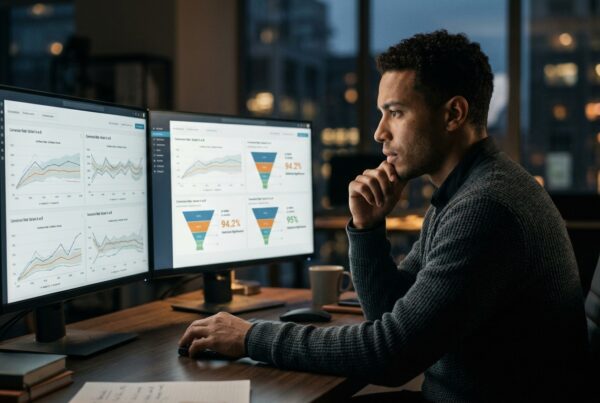
One more thing on this. If you’re using AI tools to generate the audit findings and then writing recommendations based on those findings without a human diagnostic pass, you are very likely producing a technically credible report that doesn’t address the real problem. I remember working with teams who would present comprehensive data and graphs. They felt like they’d done a great job but the problem is, nobody had the mental energy to interpret what each line graph was trying to tell them. They wanted the diagnosis… the insight… the “here’s the biggest problems and here’s what you should do about it”
A realistic picture of where this goes
AI tools used in CRO audits is going to keep improving. The pattern-recognition layer will get better at flagging copy-level issues, not in the way a human reads copy, but by comparing against performance benchmarks from similar page types. It will get better at identifying interaction friction through session replay analysis at scale. Some of what’s currently in the human column will migrate.
What won’t migrate is context. What won’t migrate is the ability to sit in the user’s situation and ask whether this page, in this moment, for someone with this level of trust and this level of intent, is doing what it needs to do. That requires a person who can hold the user’s perspective and the business’s constraints at the same time and make a judgment call.
The teams who’ll get the most from AI in their audit workflow are the ones who use it to free up human attention for the parts that actually require human judgment. Not to replace the judgment. To protect it from being spent on things that can be automated.
Where to start
If you’re building this into your process, start with a clear lines. Use AI for a technical sweep. Viewport consistency, accessibility, Core Web Vitals, markup. Pull that report. Then schedule in time with a human auditor, which might be you, to go through the key conversion pages with that technical context already in hand. Read the copy. Use the forms. Follow the flows. Ask whether each page does what it needs to do for the person most likely to be on it.
When you have both sets of findings, the next question is what to test, and in what order. Some of what the audit surfaces will be fixes, not tests. Broken form labels, layout shifts, accessibility failures. Fix those. What remains is a hypothesis backlog, and not all of those hypotheses are worth running.
I’ve been working on my own AI tool called SitRep that helps teams to audit their websites. It’s currently in private beta and I’m tightening things up but if you’re interested in testing it out, send me a message.